

FAQ
Using Sing-box VT on Mac with 5UF VPN 
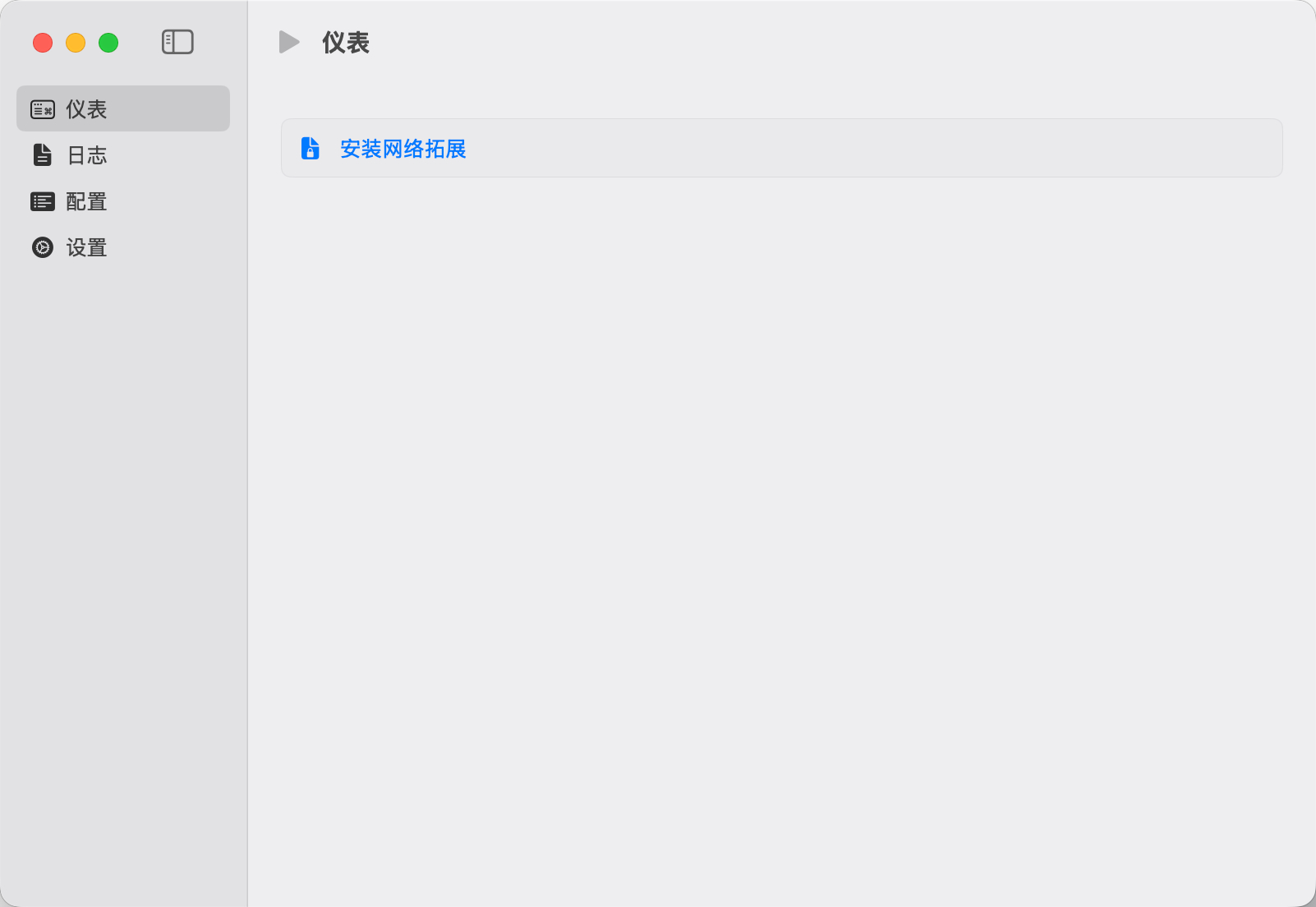
To use a third-party client on macOS, install Sing-box VT from the Mac App Store (third-party software, not published by 5UF). 5UF serves a Trojan (Xray) compatible profile as a sing-box subscription that includes server lists and routing rules.
1. Install the app
You need a non-Mainland-China Apple ID. Install from the App Store: Sing-box VT
2. Copy your sing-box URL
Sign in to the 5UF user panel in a browser and open the Xray (Trojan) configuration page (typically /xray_config). Copy the full sing-box configuration subscription URL with the one-click copy button.
That URL embeds your private UUID—do not share it. If it may have leaked, use Change UUID on the same page so the old URLs stop working immediately, then copy the new sing-box link and import again.
3. Import into Sing-box VT
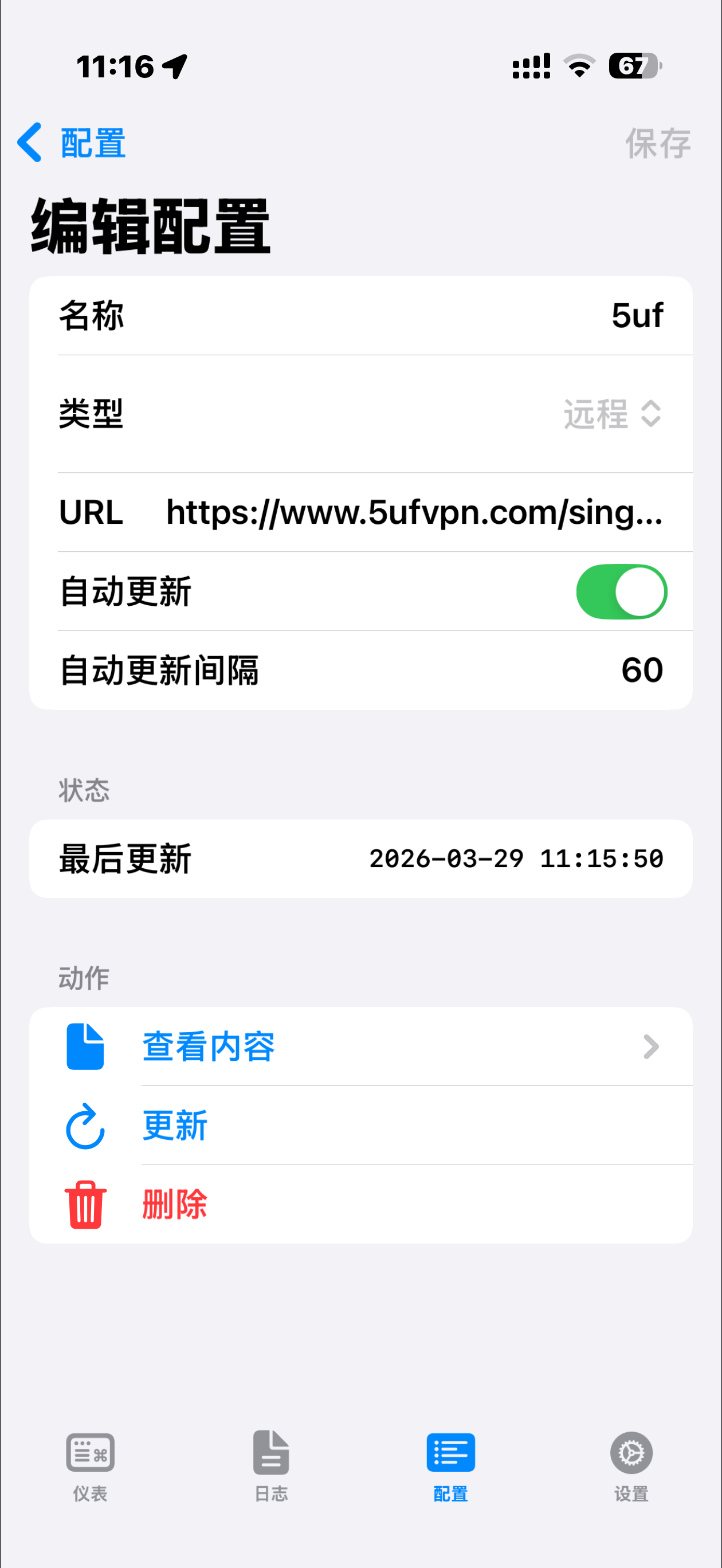
In the app, add or update a profile by importing from URL / subscription (wording depends on the app version), paste the copied link, save, and let the app refresh nodes and rule sets.
4. Connect and test
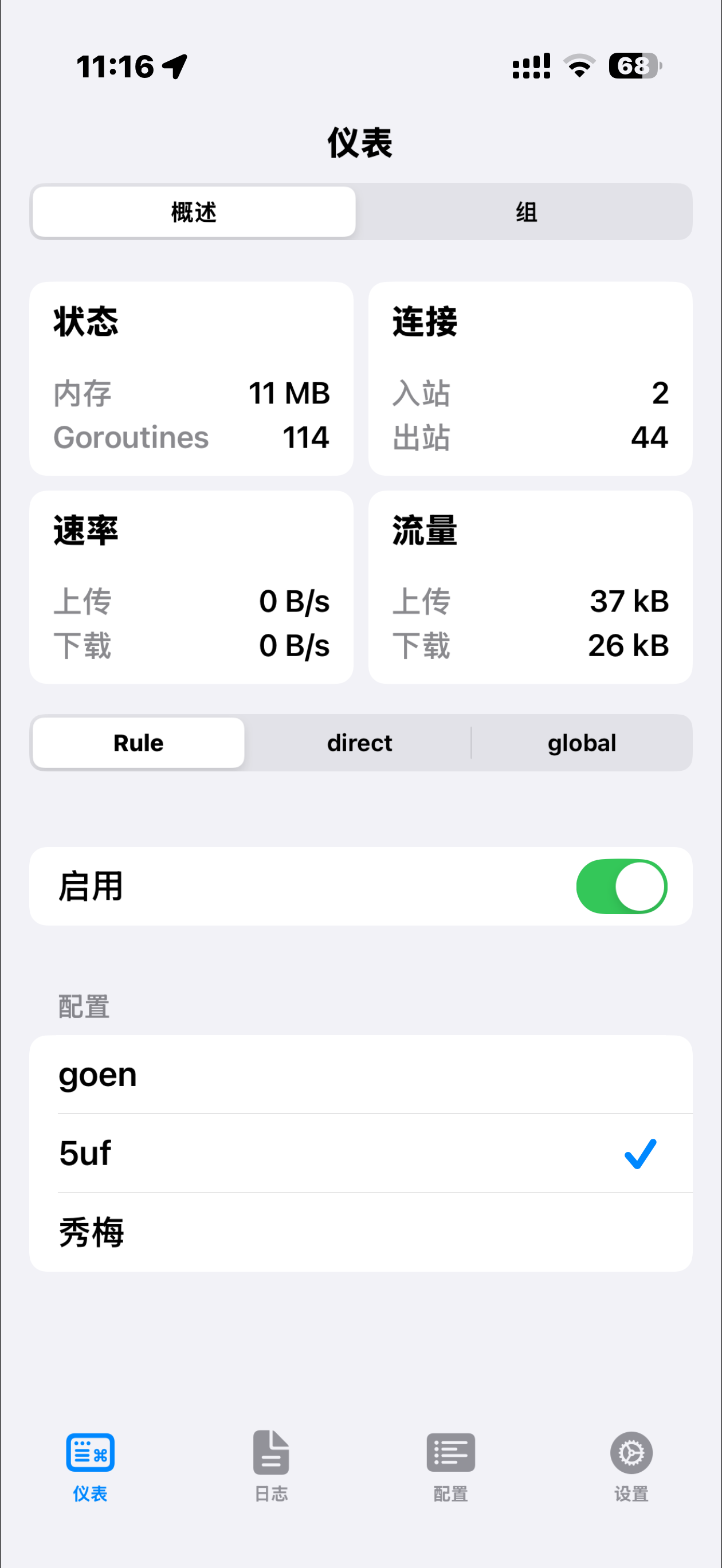
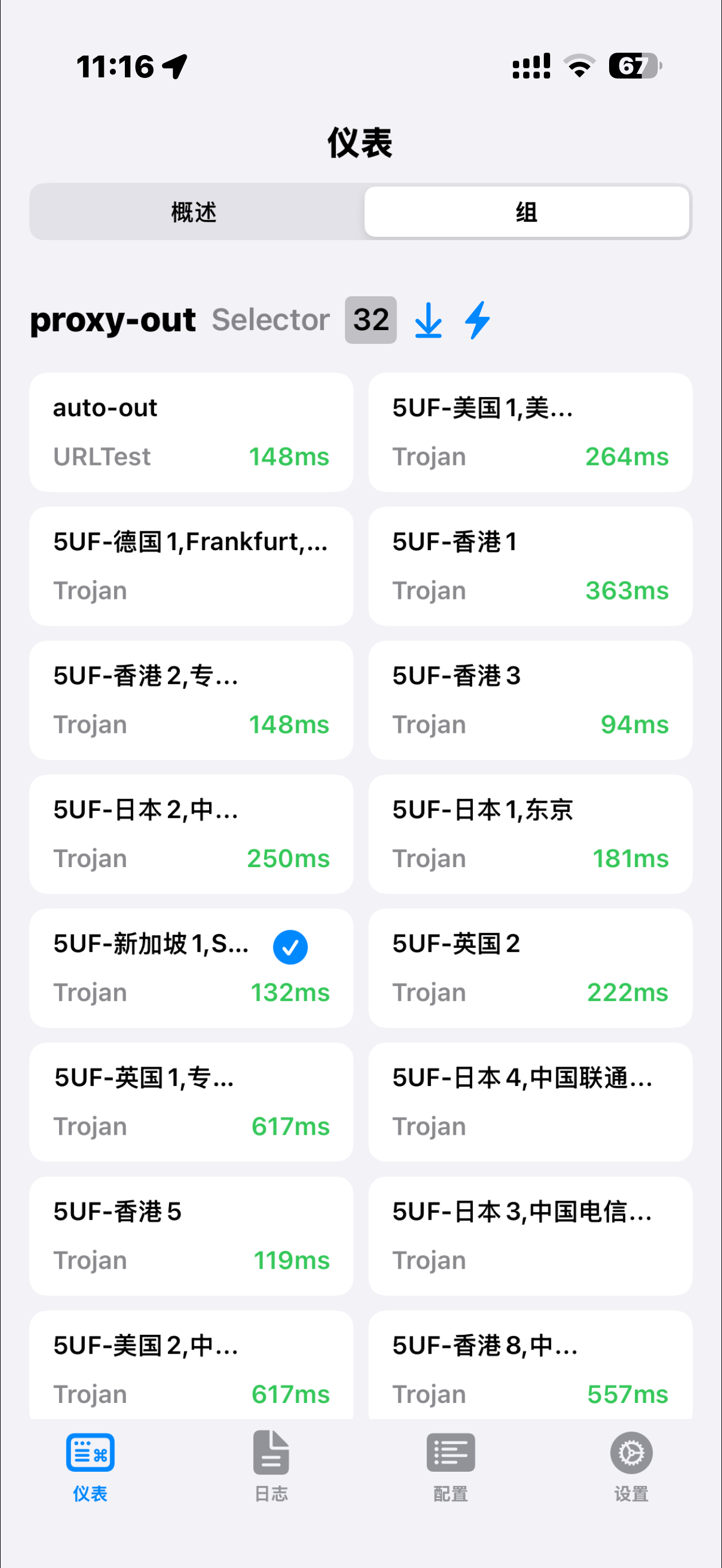
Enable the profile and visit any site that shows your public IP to confirm traffic exits through the VPN. If import or connection fails, check that the URL was copied completely, your account is active, and the network is not blocking the endpoints; generating a new UUID and re-importing often resolves stale links.
Screenshots (UI may change between releases):
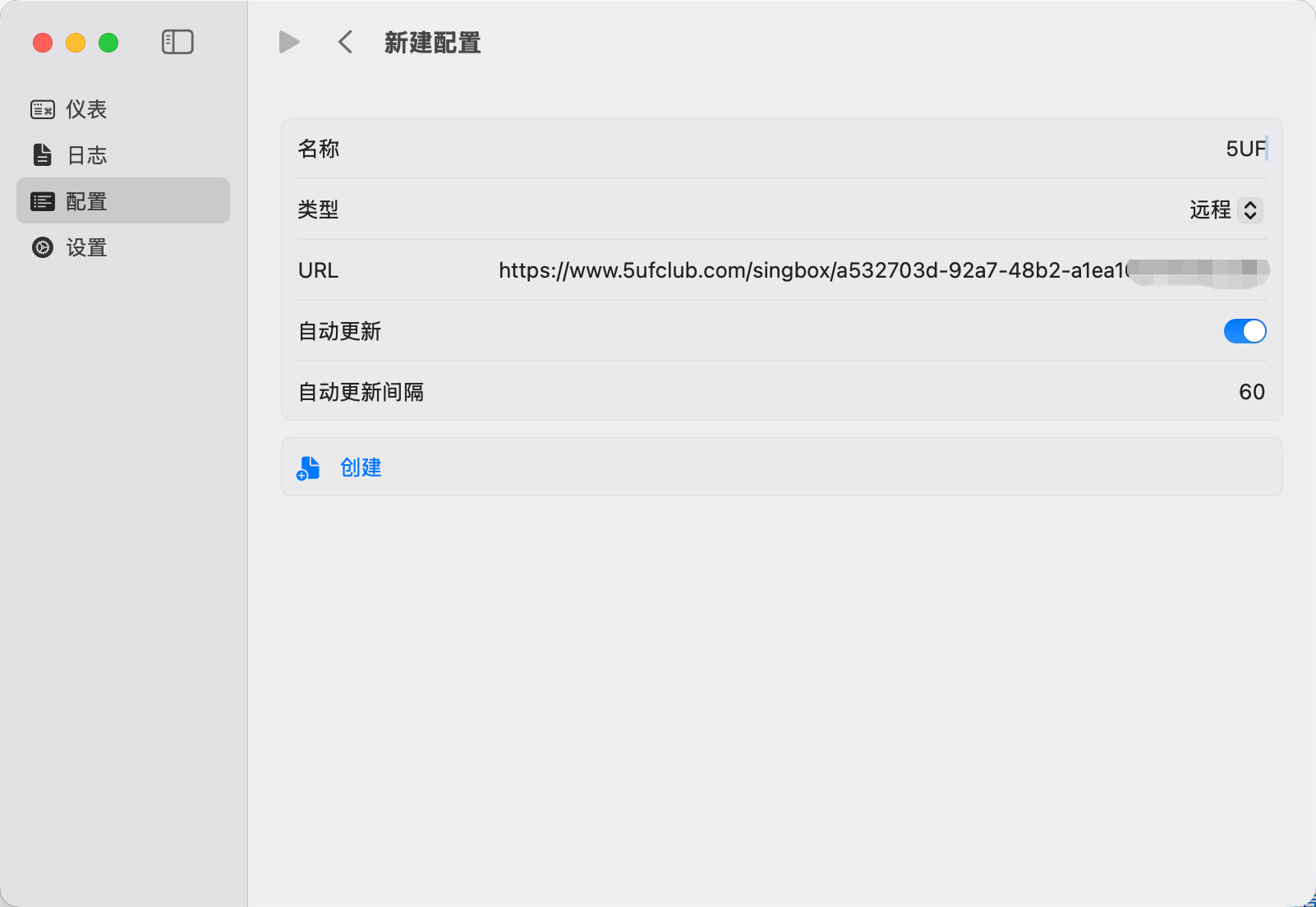
For the official all-in-one experience, use the 5UF VPN Mac app from our site. This article targets users who prefer the sing-box ecosystem.
How Android use 5UF club V2rayNG

1.下载
从 Google Play 下载应用。
https://play.google.com/store/apps/details?id=com.v2ray.ang&hl=zh&pli=1
如果不能使用 Google Play,请手工下载:
https://github.com/2dust/v2rayNG/releases
备用下载地址:
“v2rayNG_1.9.43_arm64-v8a.apk”
Backup download 2
2.从网站复制订阅配置文件,导入到 APP 中,如下图:
要选择 N2rayNG 专用的配置地址。
3.开始使用。
点击类似于“播放”这个按钮开始加速。如下图。
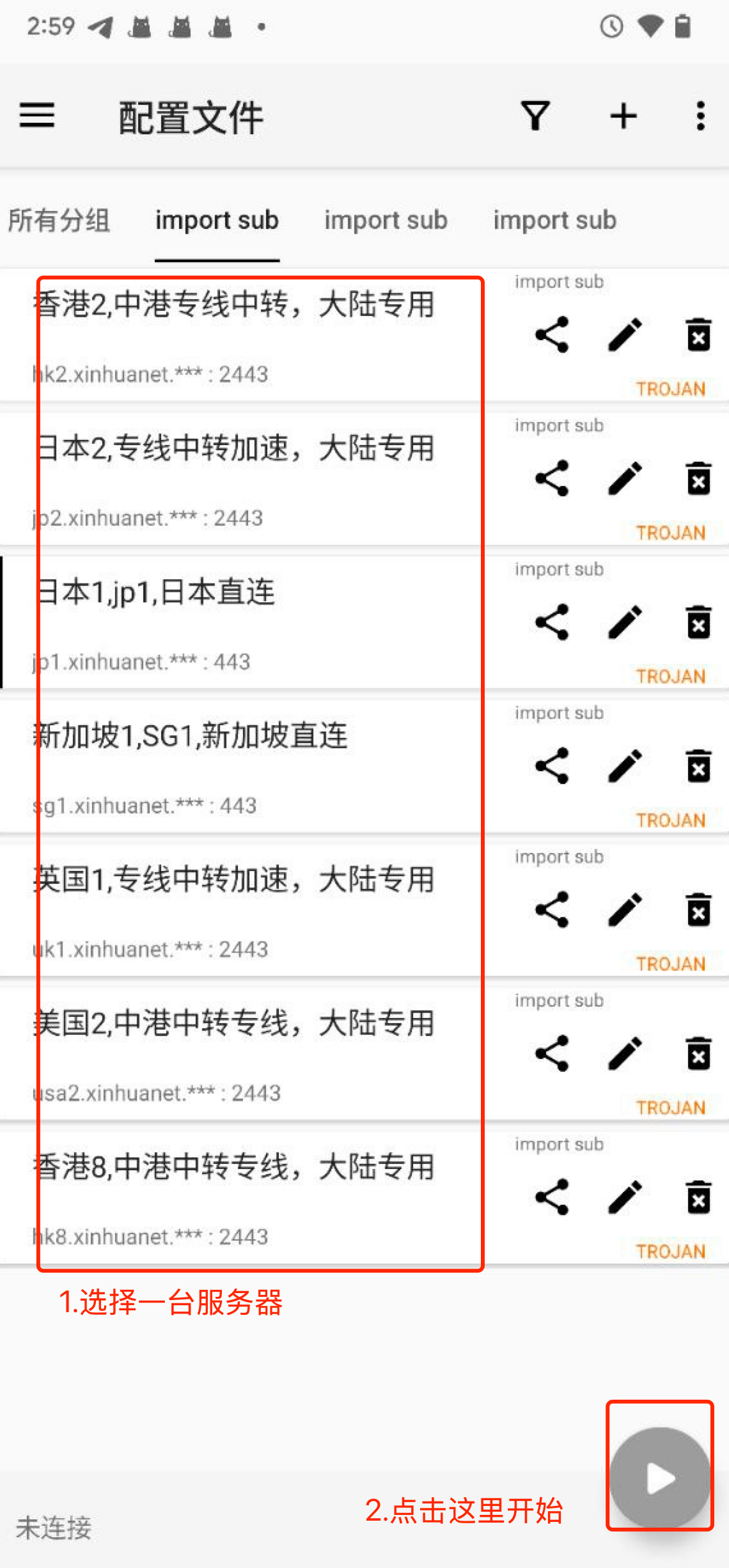
高级用法:
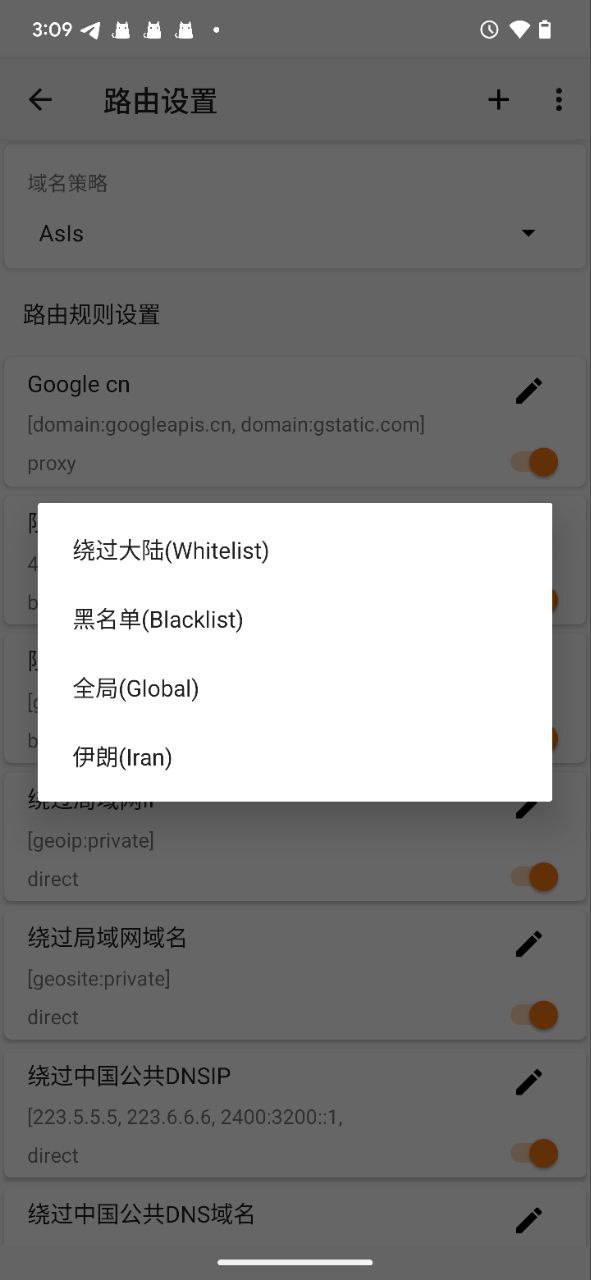
点击路由设置,更多(...)导入预定义规则集。
选择“绕过大陆”,可以配置中国大陆的通用规则,只加速国外的 IP,如下图。
How to use Trojan (XRay) with windows
1. 下载客户端并安装
Clash for Windows
https://dl.clashforwindows.org/releases/latest/Clash.for.Windows.Setup.0.20.39.exe
更多其它端也可以在这里找:
https://dl.clashforwindows.org/releases/latest/
备用下载点:
Clash.for.Windows.Setup.0.20.39.exe
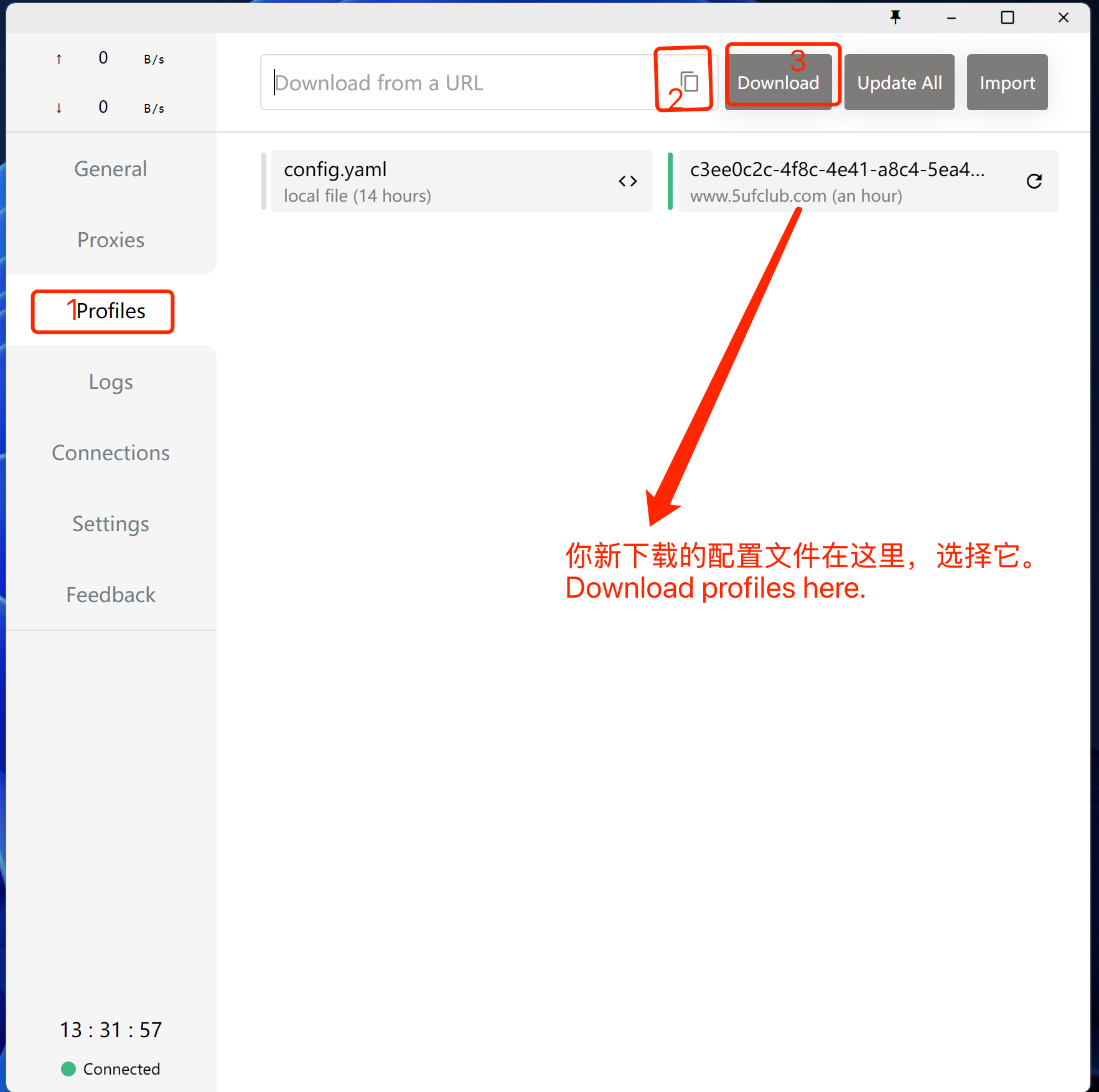
2. 点击导入
从我们的网站上获取订阅地址
3. 使用
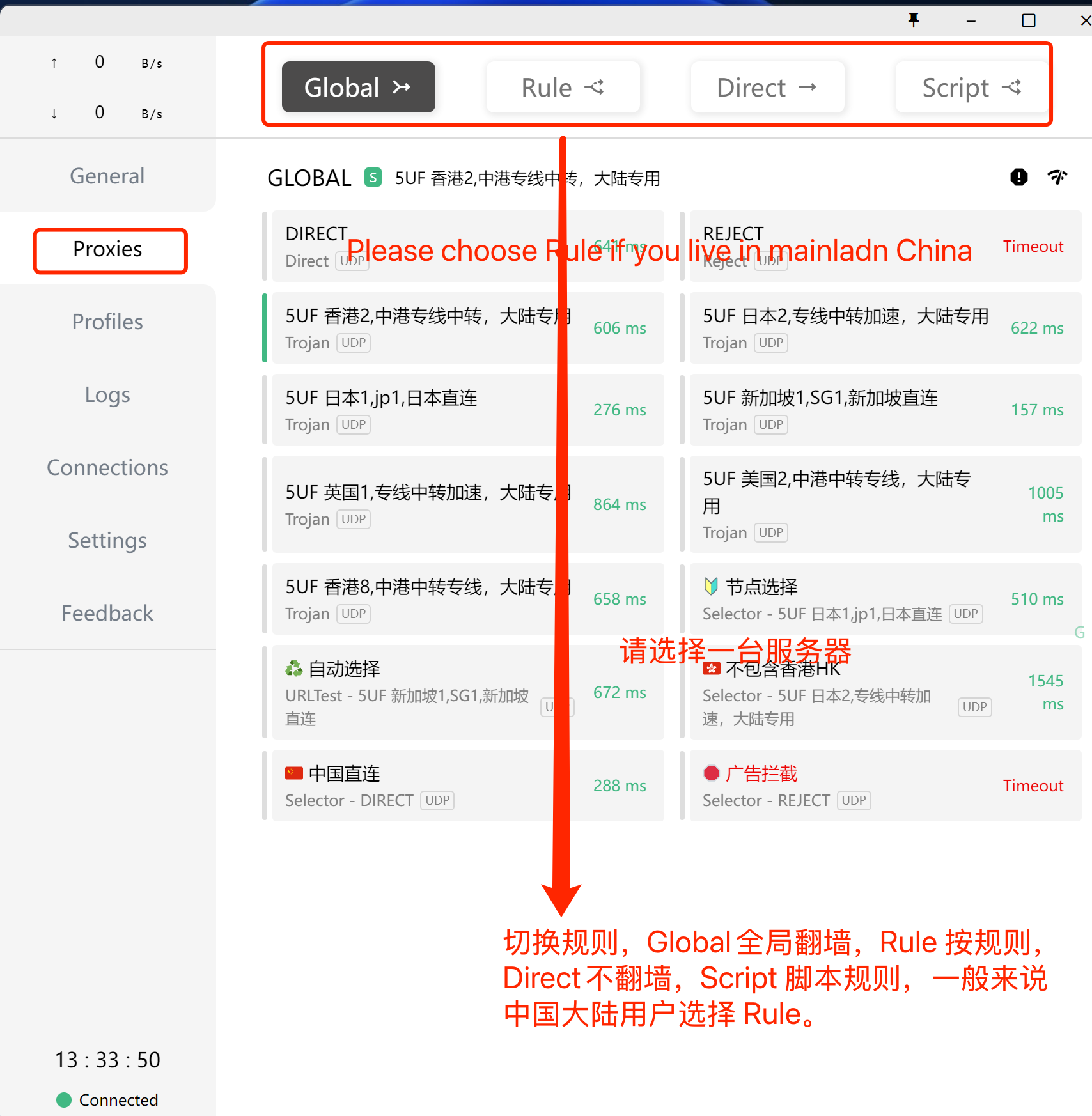
选择刚下载好的规则(如上图),选择好服务器(如下图),打开系统代理(下下图),开始使用。
打开系统代理,如下图:
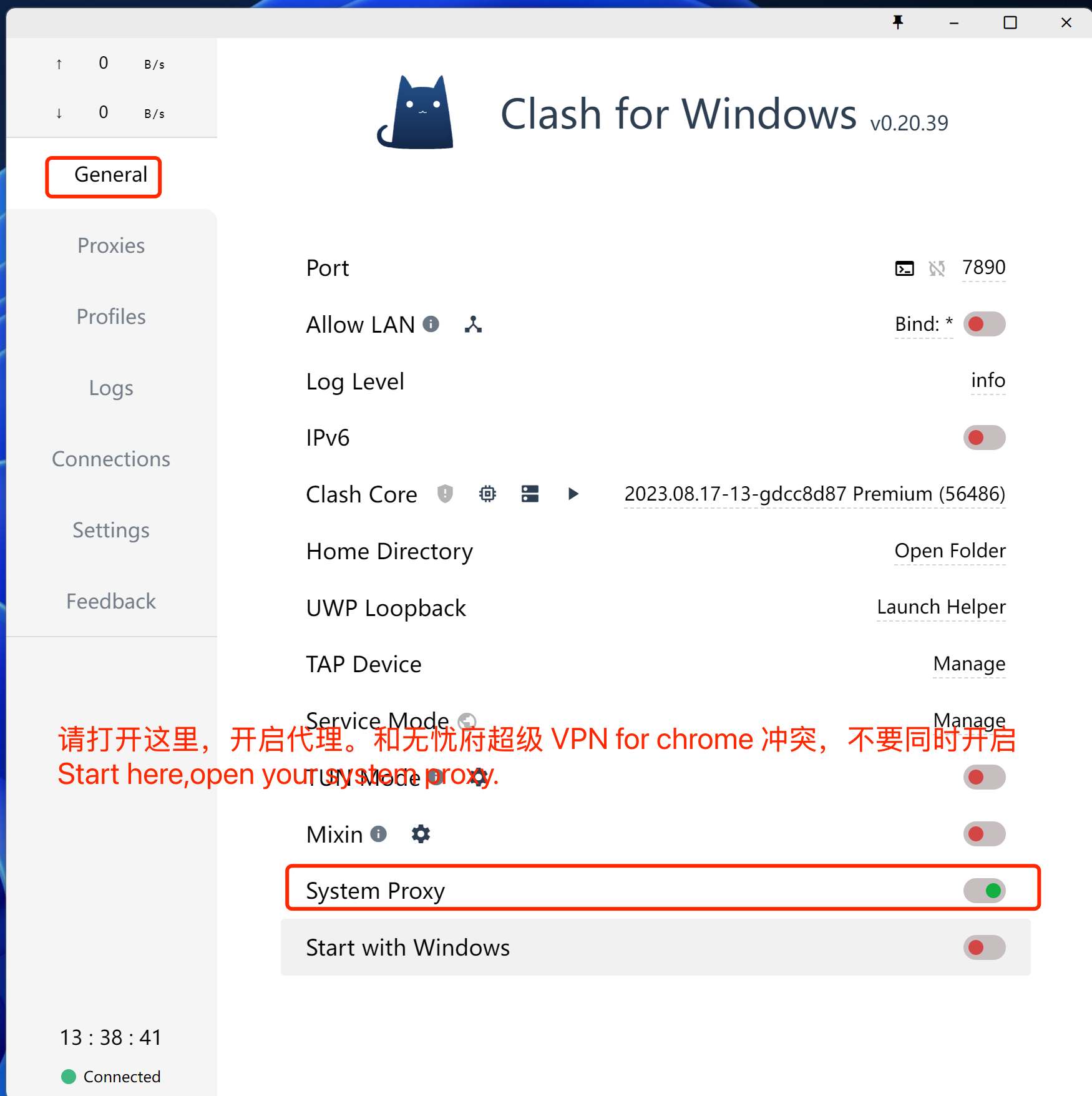
注意事项,如果你的浏览器同时使用无忧府超级 VPN for Chrome 插件时,这里的代理会失效,同理,其它代理类的软件都不能同时生效,你要先禁用插件,或者换一个浏览器。
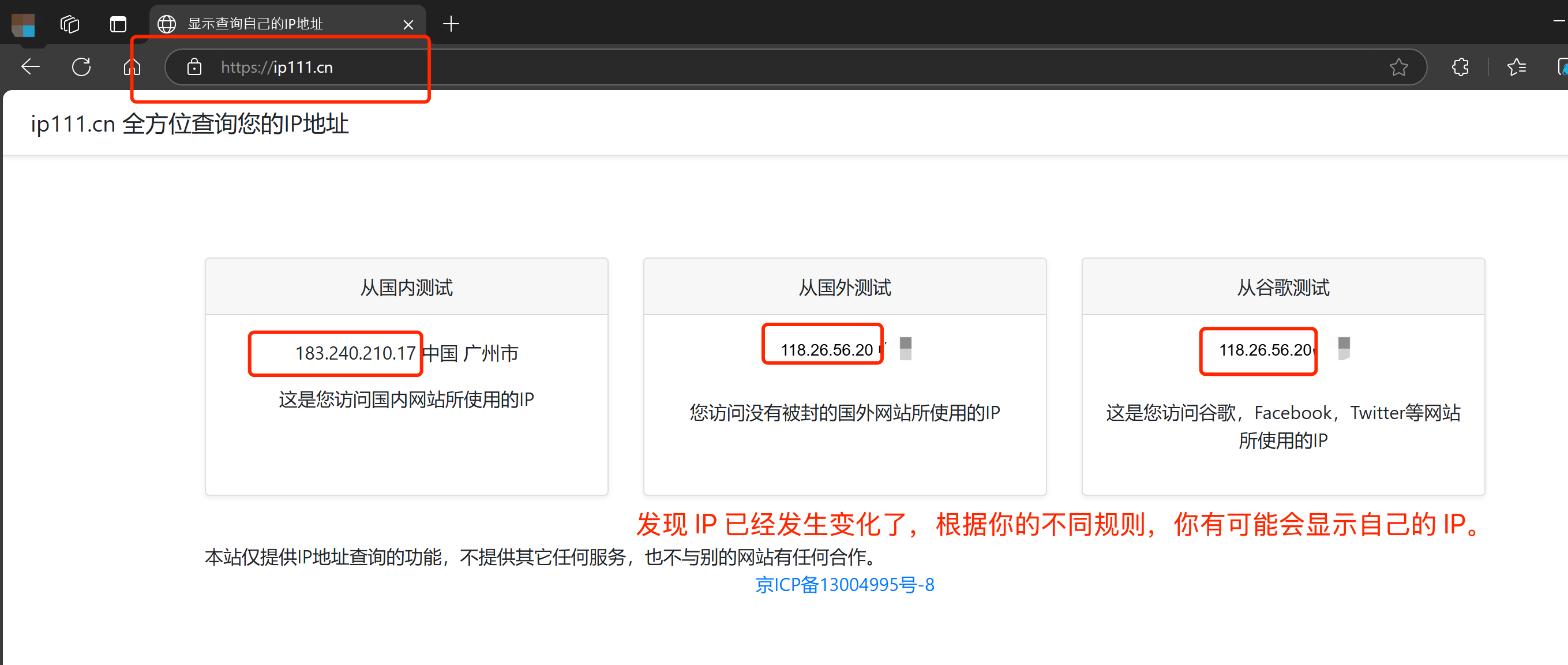
打开网址:https://ip111.cn
How to use Trojan (XRay) ClashX for MacOS
1. 下载客户端
ClashX for MacOS
https://dl.clashx.org/releases/latest/ClashX.dmg
如果上面的地址无法下载,请使用这个地址:
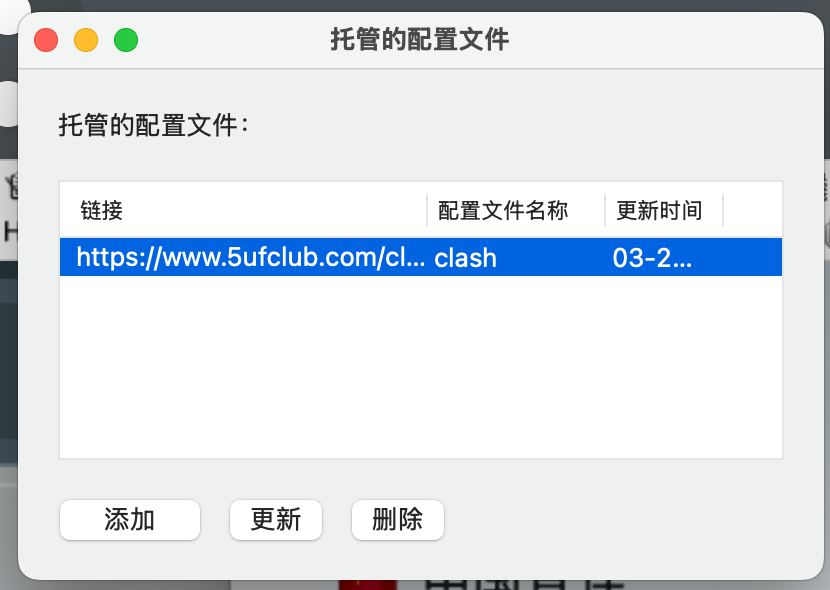
2. 点击导入
从我们的网站上获取订阅地址
改入到软件的配置中,如下图:
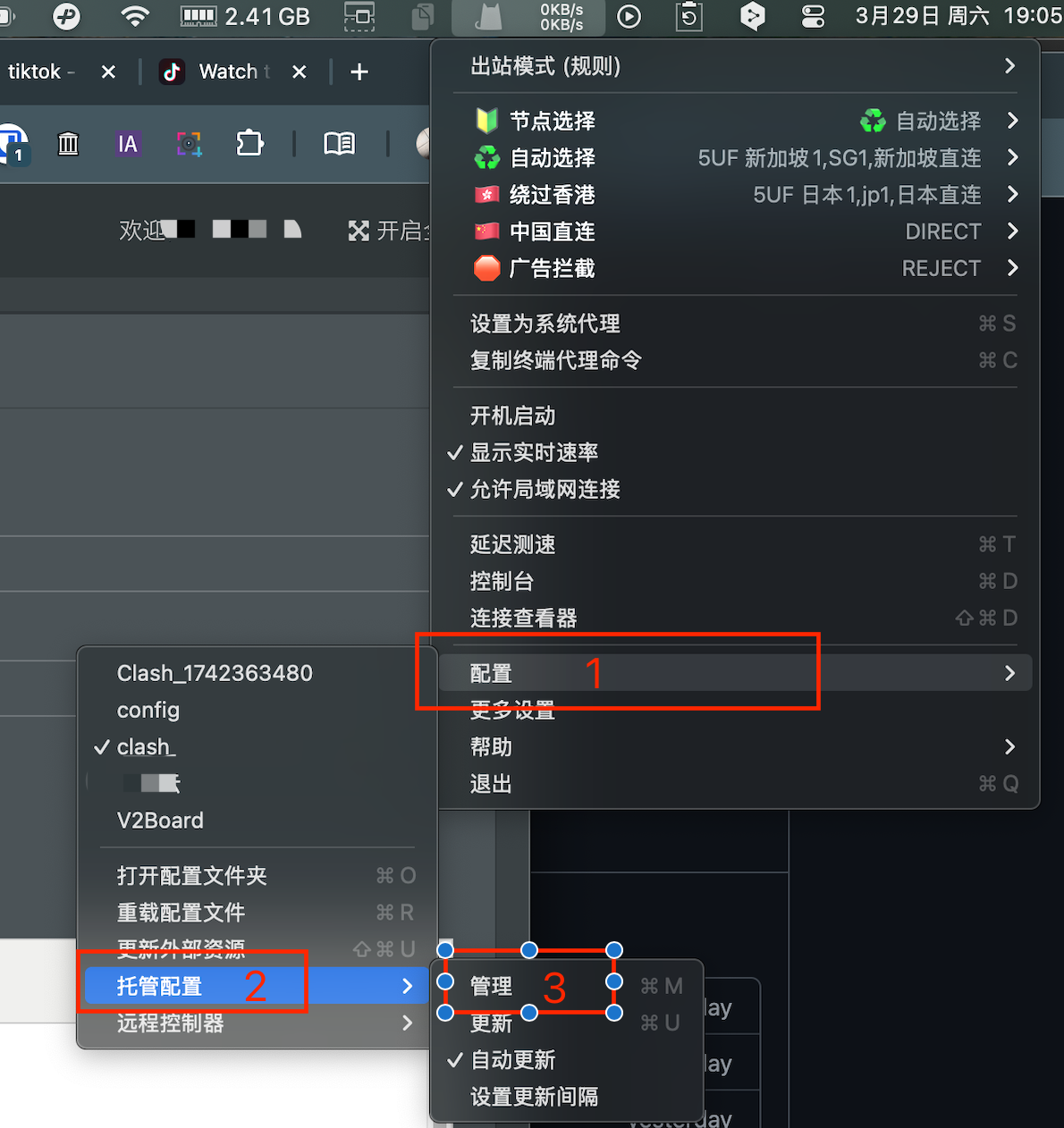
3. 使用
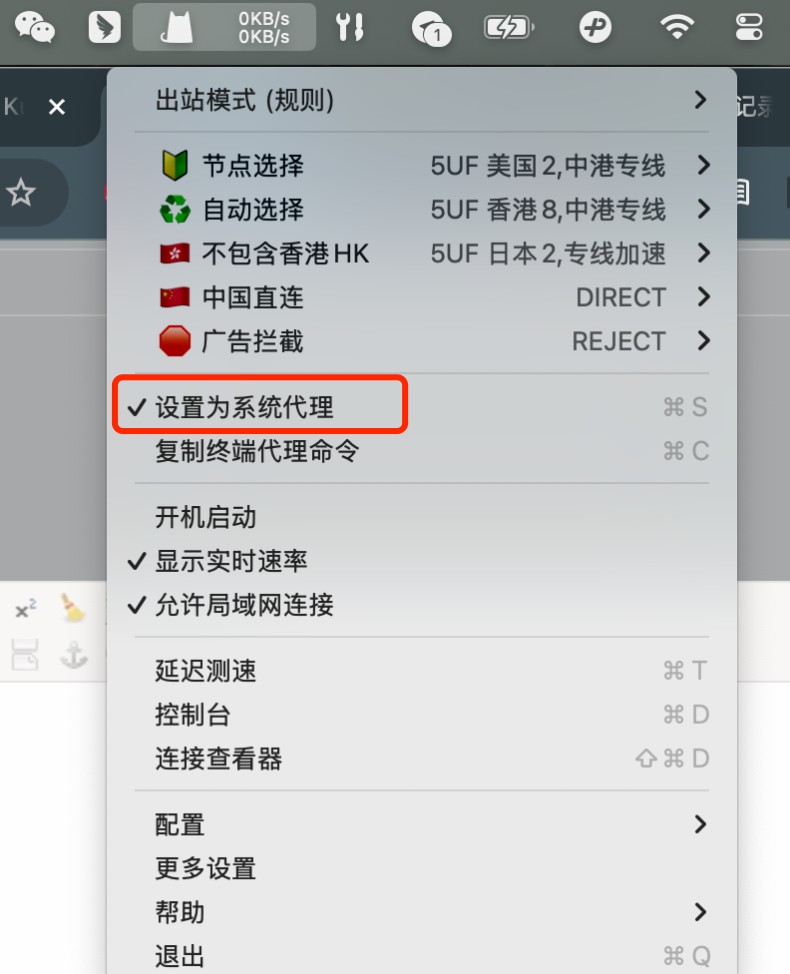
开始使用
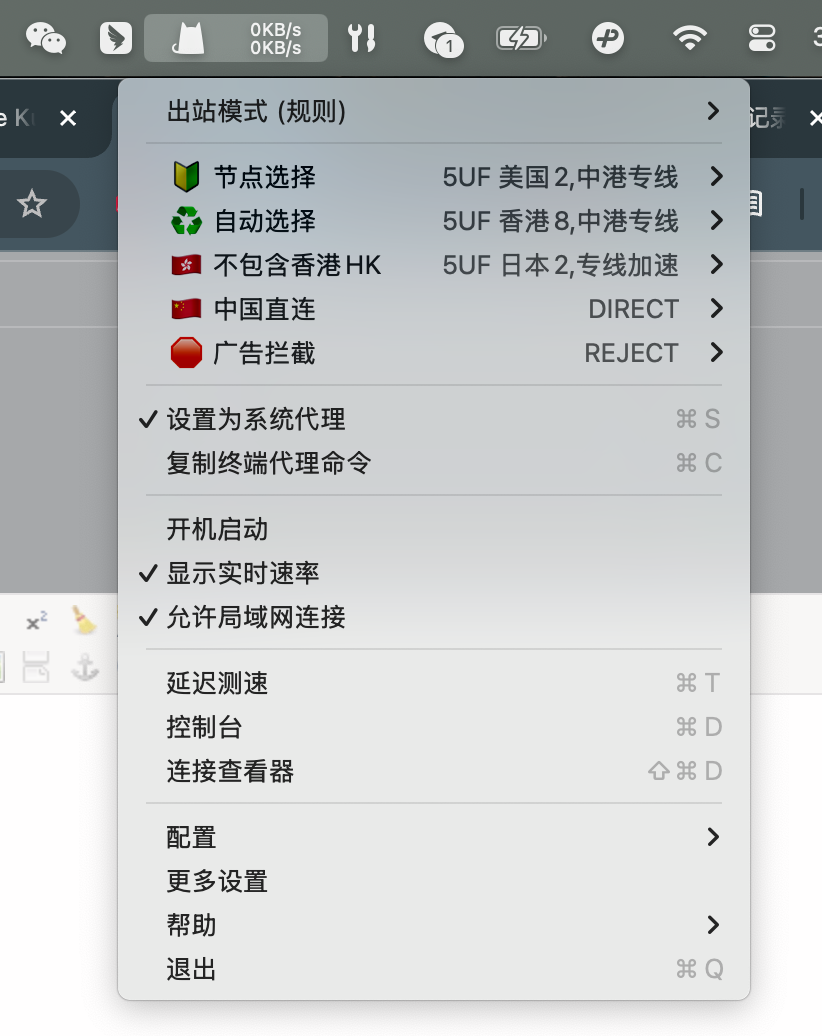
打开“设置为系统代理”
提醒:如果和超级 VPN 同时使用可能会有冲突,需要禁用掉chrome 的相关插件,是禁用整个插件,如果有其它代理类的插件也是一样会干扰使用。
How Android to use Trojan with 5UF club?
1.下载
APP1:Clash for Android
https://dl.clashforandroid.org/releases/latest/
以下是备用下载地址:
cfa-2.5.12-premium-universal-release.apk
APP2:v2rayNG
另一个 APP v2rayNG 的使用方法见下面的链接:
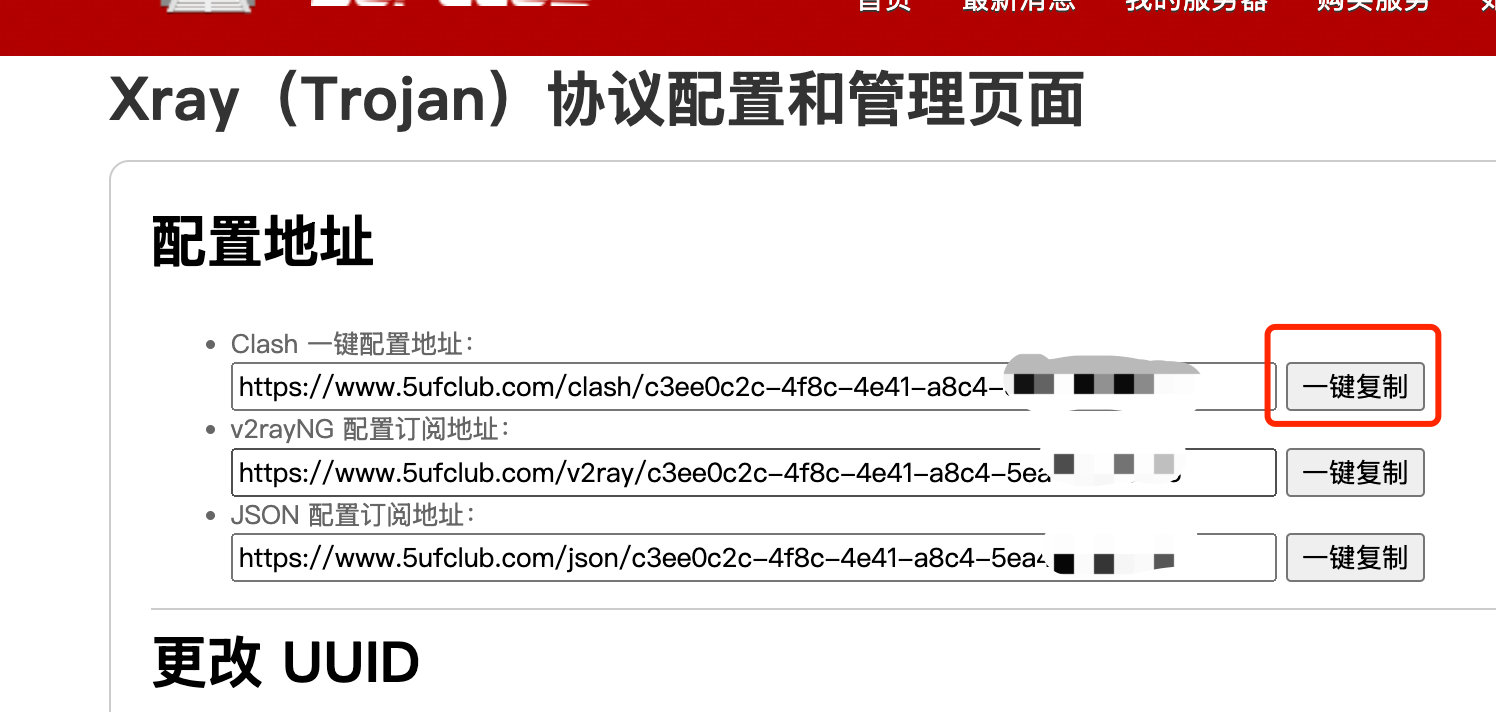
2.导入5UF 的你的专用订阅地址
3.使用
打开 Clash 的“配置“->“+”->"URL(从 URL 导入)"->“URL 粘贴上面复制到的地址”。
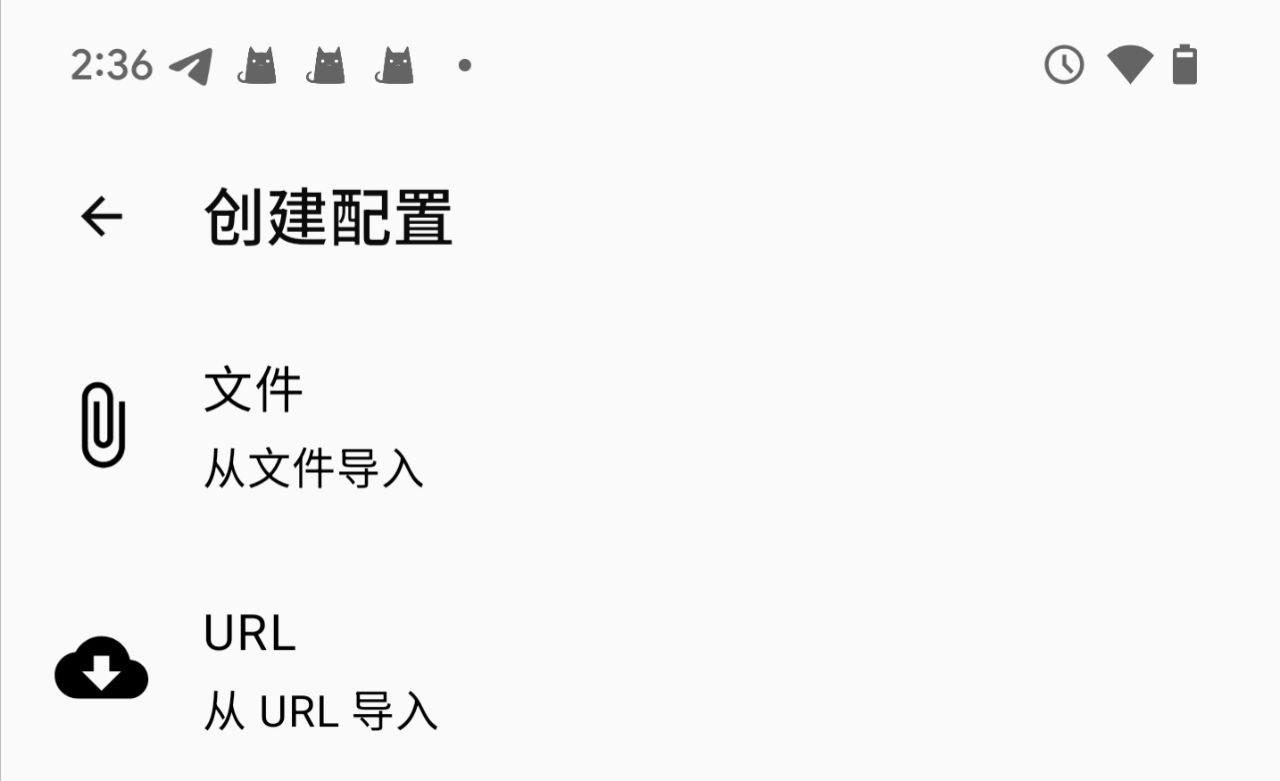
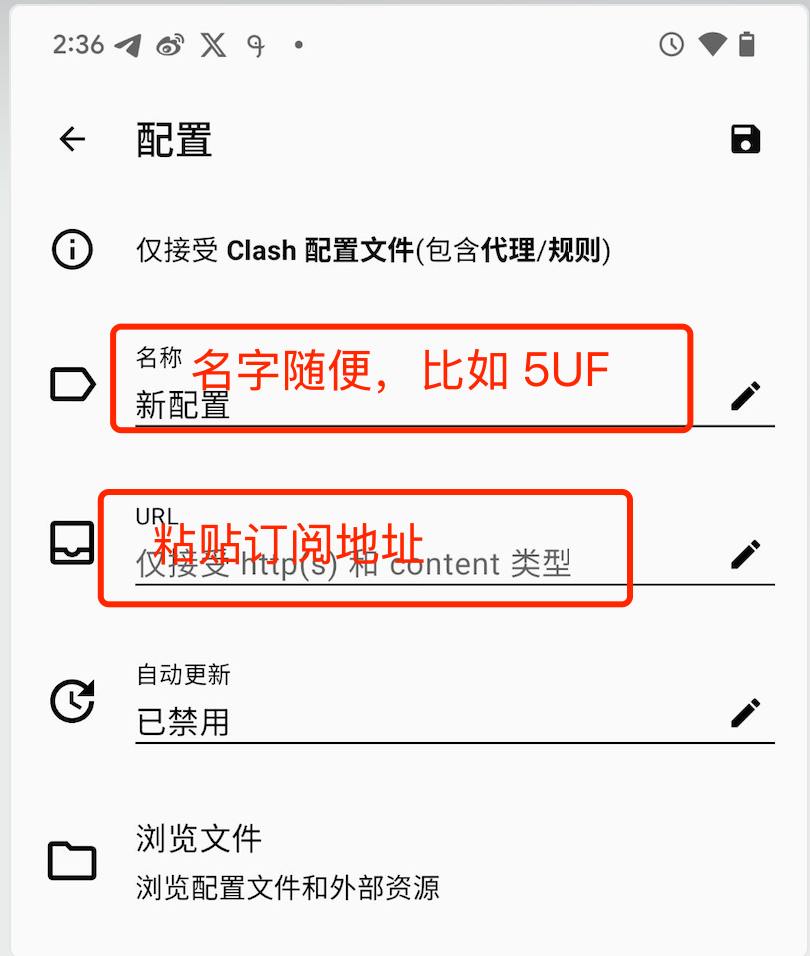
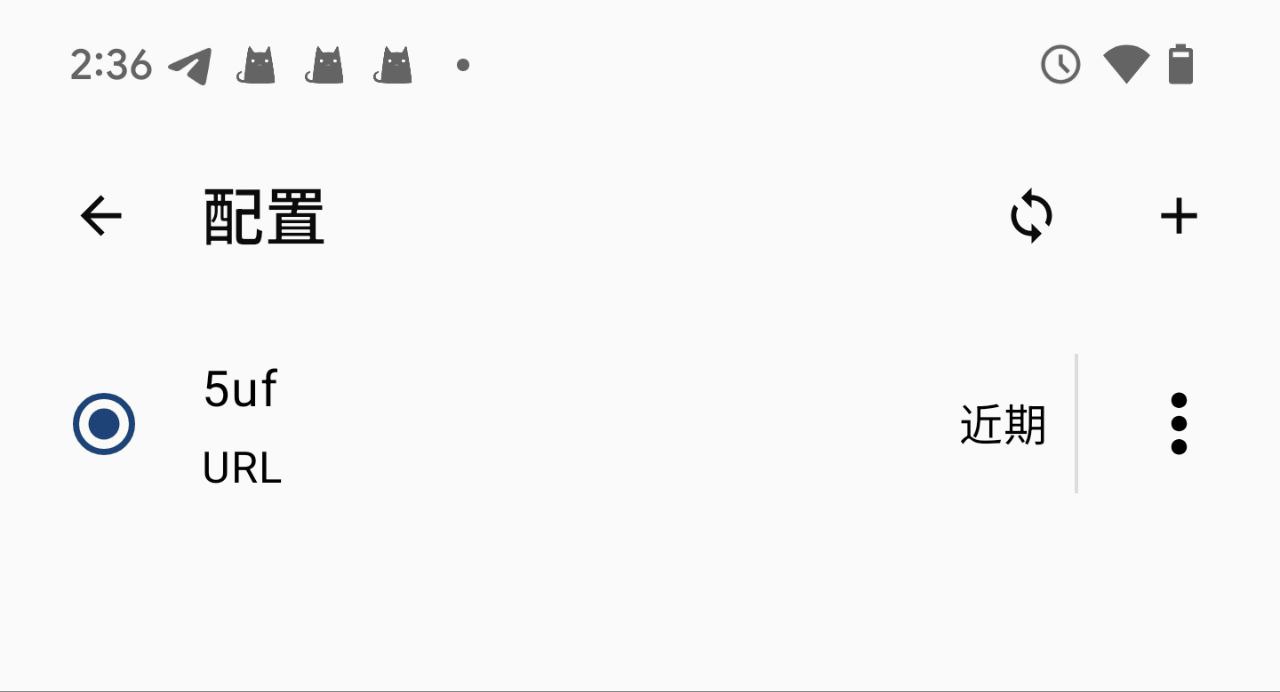
返回主界面,如下图,点击“已停止”开始你的服务。
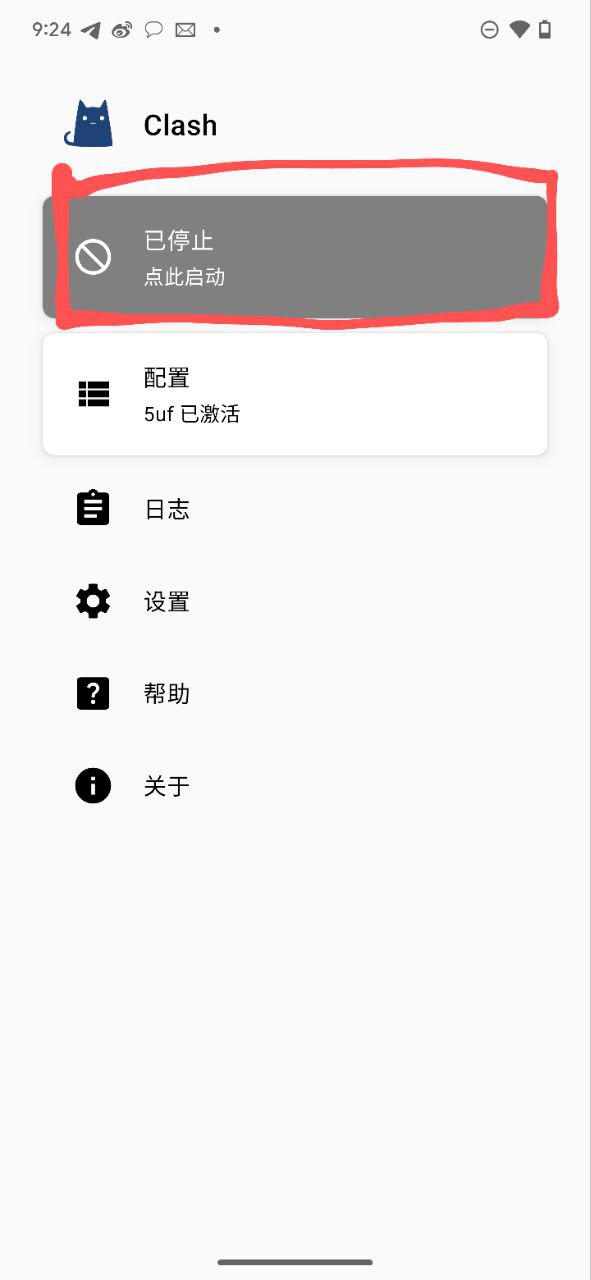
状态变成了“运行中”
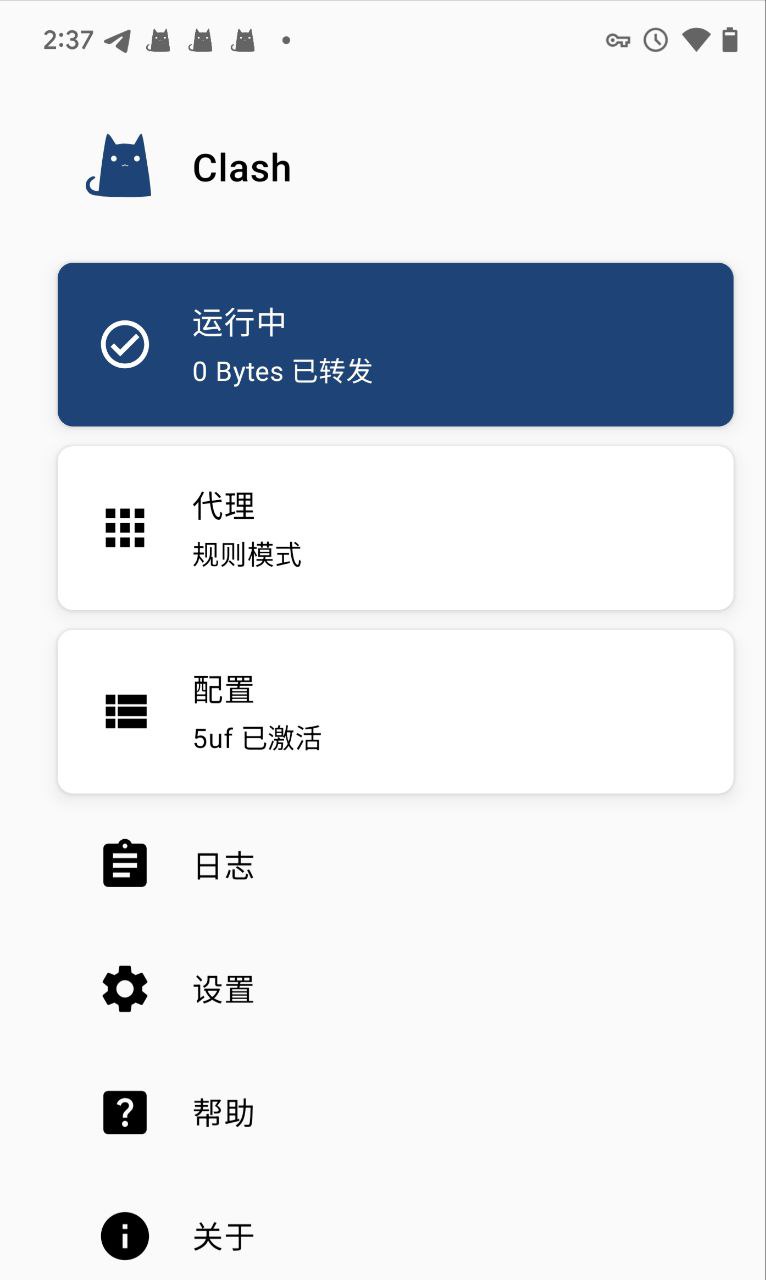
打开网址如: ip111.cn,看一下是否 IP 有变化。
iPhone iPad to use trojan
1. Download the client
IOS currently supports
Sing-box VT: https://apps.apple.com/us/app/sing-box-vt/id6673731168
Shadowrocket: https://apps.apple.com/us/app/shadowrocket/id932747118
Stash: https://apps.apple.com/us/app/stash-rule-based-proxy/id1596063349
Quantumult X: https://apps.apple.com/us/app/quantumult-x/id1443988620
You need an Apple account outside of mainland China to download these apps.
2. Click Import
Get the subscription address from our website
/xray_config
3. Use
Get started
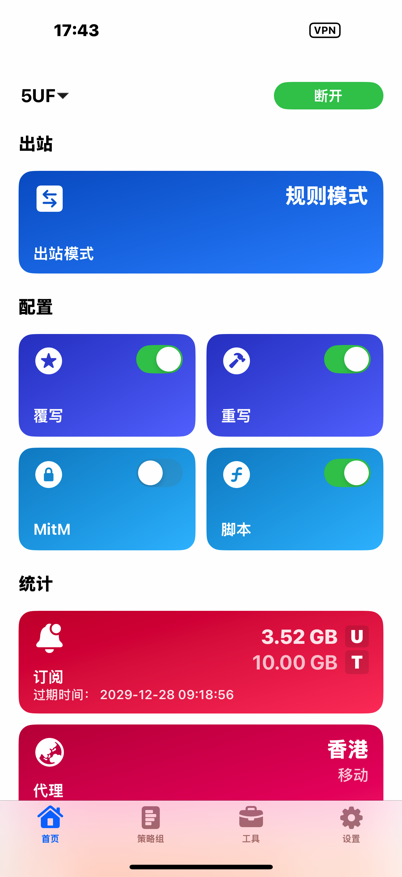
可以展示订阅的信息,如流量和到期时间
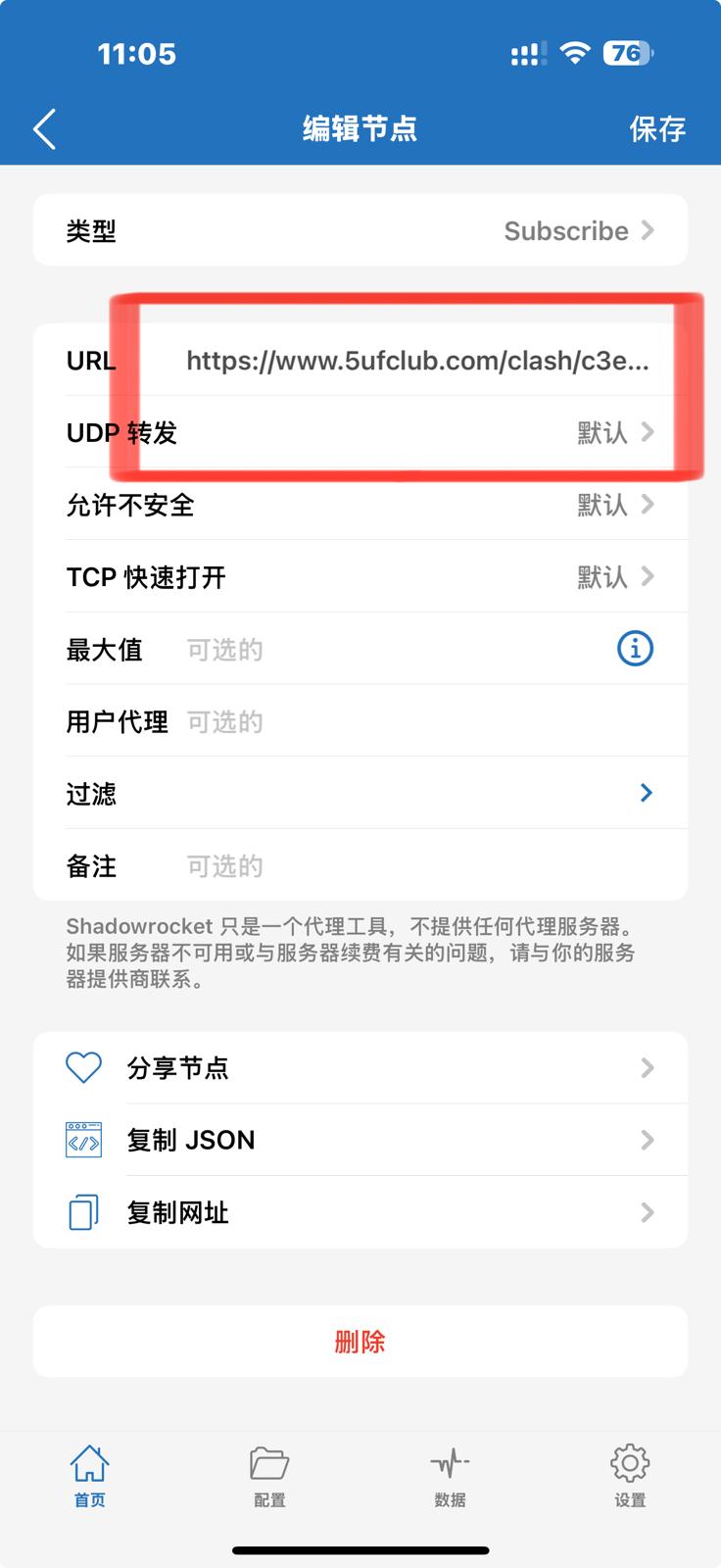
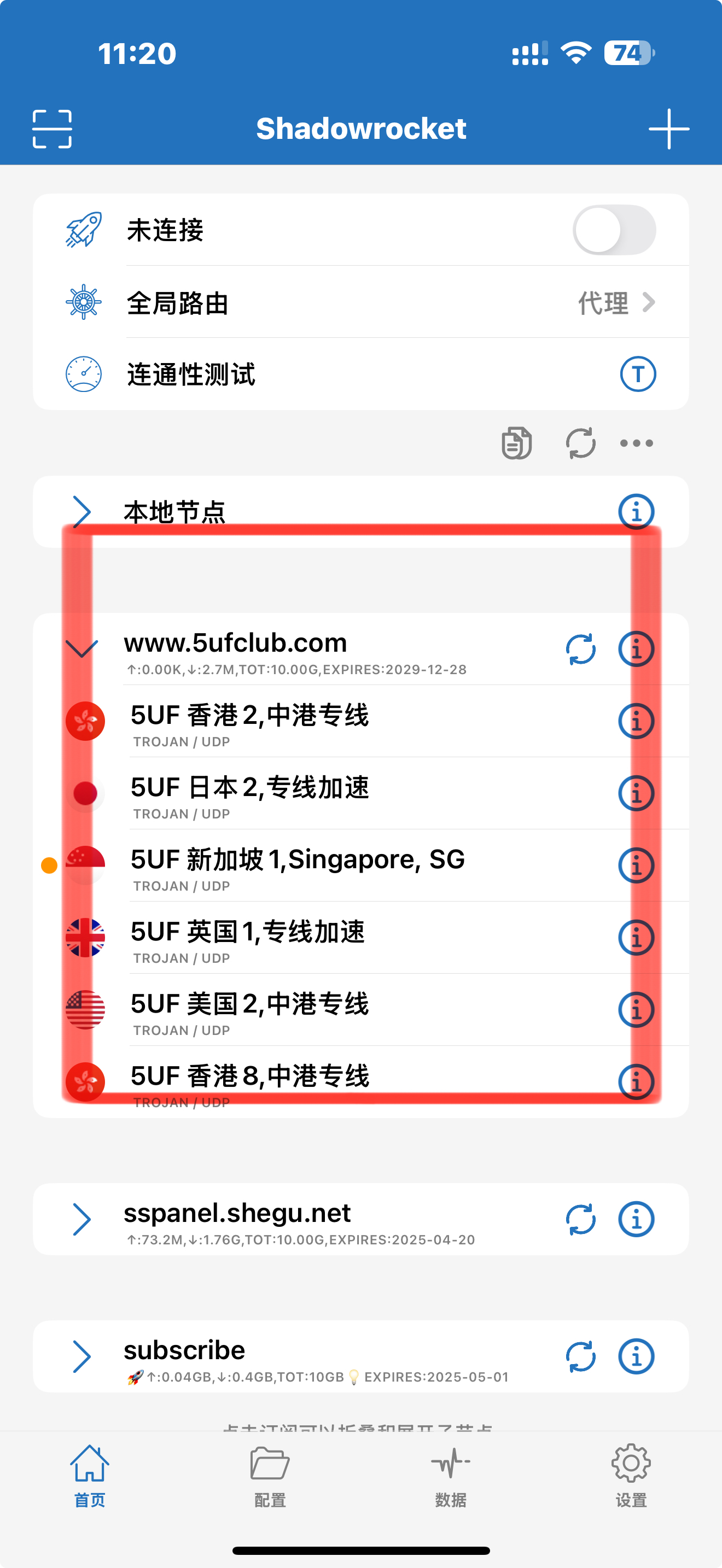
2.使用 Shaowrocket 的截图
点击右上角的“添加”
Sing-Box VT: